Loading...
How to write better prompts for Claude Opus 4.7

Yngve Mongstad
May 23, 20267 min read
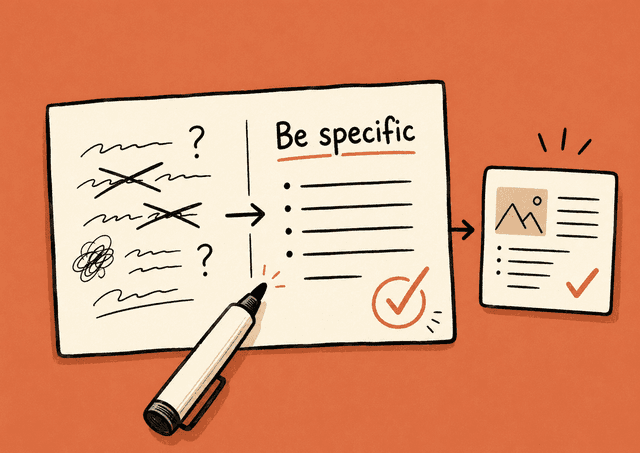
Using Claude is easy. Using it well takes a bit more.
The difference usually comes down to how you write the prompt. Writing a good prompt matters less today than it did a few years ago, but it still matters.
Anthropic recently updated their official prompting guide and released a new model, Claude Opus 4.7, that behaves a little differently from its predecessor.
Here's what's worth knowing if you use Claude day-to-day.
What's new in Claude Opus 4.7
If you've used Claude for a while, you'll notice the new model feels a bit different:
More direct tone, fewer emojis. The new model is less "Great question!" and more opinionated. If you want a warmer style, you have to ask for it.
It takes you literally. Claude 4.7 doesn't generalize as much. Say "fix this sentence" and it fixes the sentence. If you want something to apply to every section and not just the first, say so plainly.
Response length matches the task. Simple questions get shorter answers than before. Complex tasks get longer ones. The model no longer tries to hit a fixed length.
It uses tools less and thinks more. That usually produces better answers. But if you want it to search the web or use a specific skill, you'll need to ask more often.
Stronger on visual design. When Claude 4.7 makes slides, documents or HTML, it has a clear house style: warm cream colors, serif typography, terracotta accents. That works for hotel briefs and portfolio pages, but less so for dashboards or fintech. If you want something else, be specific. A vague "don't use cream" just swaps in another fixed palette.
A small reassurance: if you already have good prompts from the previous version (Opus 4.6), they mostly still work. Just watch out for the changes above.
The golden rule
Anthropic's own rule of thumb for judging whether a prompt is good enough:
Show the prompt to a colleague who knows nothing about the task. If they're confused, Claude will be too.
That's really the whole thing. Every principle below is just a version of the same idea: be clear.
The five most important principles
1. Tell Claude what to do, not what not to do
Negative instructions work worse than positive ones.
Instead of:
Don't use bullet points.
Write:
Write the answer as plain text in full sentences.
Same goes for tone and format. Describe what you want, not what you want to avoid.
2. Give context and reasoning
If you explain why you want something a certain way, Claude generalizes from the explanation. It hits things you hadn't thought of.
Instead of "use short sentences", write:
Use short sentences because this is going to be read on mobile by people in a hurry.
Then Claude also picks up that it should skip half-formed thoughts and long parentheses that are hard to skim.
3. Show 3-5 examples instead of explaining everything
Examples are one of the most reliable ways to steer Claude's output. Three to five good examples almost always beat a long instruction.
Good examples are:
- Relevant. They look like what you actually want out.
- Varied. They cover the variations you might need.
Separate the examples clearly from the rest of the prompt, for instance with a header like "Example:" in front of each one. That way Claude doesn't mix them up with the instructions themselves.
If you want Claude to write LinkedIn posts in your style, paste in 3-5 of your best posts with "Example 1:", "Example 2:" and so on as headers. That works much better than describing your style in words.
4. Give Claude a role in one sentence
One sentence that sets the role changes tone, word choice and perspective. It doesn't have to be more than:
You are an experienced accountant explaining things simply to small-business owners.
Or:
You are an editor with a sharp eye for cliches and unnecessary words.
Roles work because they give Claude both a professional perspective and a natural vocabulary to lean on. Use it to set the tone.
Roles work best for things that are about style and perspective. On factual questions and tasks where the right answer is what matters most, several studies show that roles neither help nor hurt much, and sometimes make the result worse.
Rule of thumb: use a role when you want to steer how something gets said. Skip the role when you need the content to be correct. Don't expect a role to make Claude smarter on facts or reasoning.
5. "Go beyond the basics"
Adding instructions that push Claude to raise the quality of the output can help. For example, instead of writing "Build a dashboard", write:
Build a dashboard. Include as many relevant features and interactions as possible. Go beyond the basics to make as complete an implementation as possible.
For creative tasks in general, asking Claude to "go beyond the basics" gets it to stretch a bit more.
Special cases worth knowing
Long documents: data on top, question at the bottom
If you paste in a long document and want Claude to work with it, the order matters more than people think. Anthropic has measured up to 30% better answers when the long text goes at the top and the question at the bottom.
A useful follow-on trick: ask Claude to quote the relevant parts first, before answering. That forces the model to actually read through the document instead of guessing.
For example:
[Long report pasted on top]
Before answering the question below, find and quote the parts of the report that are relevant. Then answer: what are the three biggest risk factors the report points to?
Match your style to the output you want
The style of your prompt rubs off on the answer. If you write in bullet points, you get bullet points back.
If you're struggling to get Claude to drop the markdown, try dropping it yourself in the prompt first. That often works better than an explicit instruction.
Ask Claude to check itself
An underused technique: add a short verification instruction at the end of the prompt.
Before giving the answer, check that all the numbers in the table add up correctly.
Or:
Before handing over the text, read through it once and remove every word that isn't needed.
This catches errors reliably, especially in numbers and logic.
Specifically for 4.7: be more explicit than before
If you take one thing from this article, make it this: Claude Opus 4.7 does what you ask, and only what you ask, more so than earlier models.
In practice:
- Want something to apply to all sections? Say "all sections, not just the first"
- Want a warm and personal tone? Ask for it
- Want longer, more in-depth answers? Say so
- Want emoji or a lighter tone? Mention it
The upside is that you rarely have to fight against the model doing more than you asked. It does what you tell it. But then you have to tell it the right way.
Short checklist
- Be specific about what you want
- Tell Claude what to do, not what not to do
- Explain why, so Claude generalizes better from the context
- Show 3-5 examples instead of explaining everything
- Give Claude a role in one sentence to steer tone and word choice
- Long documents: data first, question last
- Match your style to what you want out
- Ask Claude to check the answer before delivering it
And maybe most importantly: be more explicit than you think you need to be.


