
Loading...

Claude is easy to use. Using it well takes a bit more.
The difference usually comes down to how you write the prompt. Writing a good prompt matters less today than it did a few years ago, but it still counts.
Anthropic recently updated its official prompting guide and at the same time released a new model, Claude Opus 4.8, which behaves a little differently from its predecessor.
Here's what's worth knowing if you use Claude day to day.
If you've used Claude for a while, you'll notice the newest model is a bit different:
More direct tone, fewer emojis. The new model is less "Great question!" and more opinionated. If you want a warmer style, you have to ask for it.
It takes you at your word. Claude 4.8 doesn't generalize as much. Say "fix this sentence" and it fixes the sentence. If you want something to apply to every section and not just the first one, say so plainly.
Response length matches the task. Simple questions get shorter answers than before. Complex tasks get longer ones. The model no longer tries to hit a fixed length.
It thinks more and reaches for tools less often. That usually means better answers. It still prefers to reason rather than use tools, but it's gotten more reliable at actually firing off a tool when the task calls for one, something some people found the previous model would skip. If you want to be sure it searches the web or uses a specific skill, it's still worth asking.
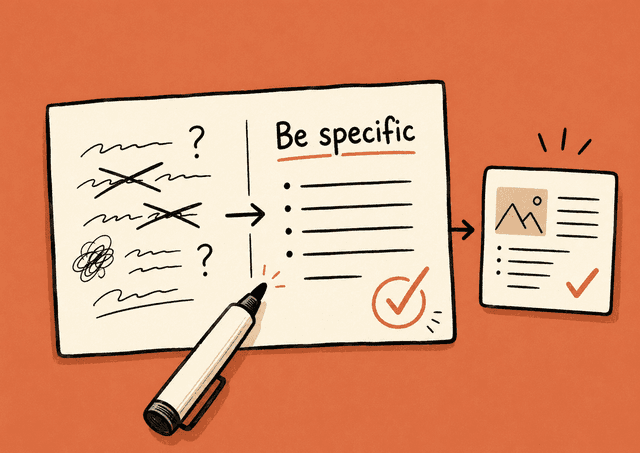
Stronger at visual design. When Claude 4.8 makes slides, documents, or HTML, it has a clear house style: warm cream colors, serif typography, terracotta accents. That works for hotel briefs and portfolio pages, but it fits dashboards or fintech less well. If you want something else, be specific. A vague "don't use cream" just gives you a different fixed palette.
A small consolation: if you already have good prompts from earlier Opus versions, they mostly work the same. Anthropic says outright that 4.8 works well out of the box on existing prompts from earlier models. Just keep the changes above in mind.
Anthropic's own rule of thumb for judging whether a prompt is good enough:
Show the prompt to a colleague who knows nothing about the task. If they get confused, so will Claude.
That's really all there is to it. Every principle below comes back to the same thing: being clear.
Negative instructions work worse than positive ones.
Instead of:
Don't use bullet points.
Write:
Write the answer as plain text in full sentences.
The same goes for tone and format. Describe what you want, not what you want to avoid.
If you explain why you want something a certain way, Claude generalizes from the explanation. It does better on things you didn't think to mention.
Instead of "use short sentences," write:
Use short sentences because this will be read on a phone by people in a hurry.
Then Claude also understands it should drop half-finished thoughts and long parentheticals that are hard to skim.
Examples are one of the most reliable ways to steer Claude's output. Three to five good examples almost always beat a long instruction.
Good examples are:
Separate the examples clearly from the rest of the prompt, for instance with a heading like "Example:" in front of each. That way Claude doesn't mix them up with the instruction itself.
If you want Claude to write LinkedIn posts in your voice, paste in 3–5 of your best posts with "Example 1:", "Example 2:" and so on as headings. That works far better than describing your style in words.
One sentence that sets the role changes the tone, the word choice, and the perspective. It doesn't need to be more than:
You are an experienced accountant who explains things simply for small-business owners.
Or:
You are an editor with a sharp eye for clichés and filler words.
Roles work because they give Claude both a professional viewpoint and a natural vocabulary to lean on. Use it to set the tone.
Roles work best for things about style and perspective. On factual questions and tasks where the right answer matters most, several studies show roles neither help nor hurt much, and sometimes they make the result worse.
The rule of thumb: use a role when you want to steer how something is said. Drop the role when you need the content to be correct. Don't count on a role making Claude smarter on factual questions or reasoning.
Adding instructions that push Claude to raise the quality of its output can help produce better results. For example, instead of writing "Make a dashboard," you write:
Make a dashboard. Include as many relevant features and interactions as possible. Go beyond the basics to build as complete an implementation as you can.
On creative tasks in general, asking Claude to "go beyond the basics" gets it to stretch a little further.
When you paste in a long document and want Claude to work with it, the order matters more than people think. Anthropic has measured up to 30% better answers when you put the long text content on top and the question at the bottom.
A useful add-on trick: ask Claude to quote the relevant parts first, before it answers. Then the model actually has to read through the document instead of guessing.
For example:
[Long report pasted on top]
Before you answer the question below, find and quote the parts of the report that are relevant. Then answer: What are the three biggest risk factors the report points to?
The style of your prompt rubs off on the answer. Write in bullet points and you'll get answers in bullet points.
If you're struggling to get Claude to drop markdown, try dropping it yourself in the prompt first. That often works better than giving an explicit instruction about it.
An underrated technique: add a short verification instruction at the end of the prompt.
Before you give the answer, check that all the numbers in the table add up correctly.
Or:
Before you deliver the text, read through it once and cut every word that isn't needed.
This catches errors reliably, especially in numbers and logic.
If you take one thing from this article, make it this: Claude Opus 4.8 does what you ask, and only what you ask, more so than earlier models.
In practice:
The upside is that you rarely have to fight the model doing more than you asked. It does what you say. But then you have to say it right.
And maybe most important: be more explicit than you think you need to be.


