Loading...

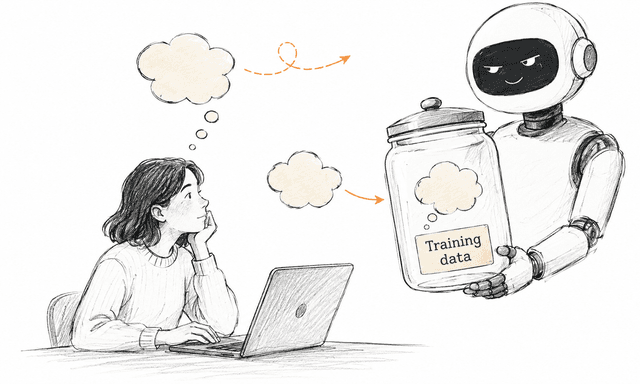
If you've ever wondered whether what you type into an AI chat gets used to train the models, here's the answer.
This article gives you an overview of:
how the six most-used AI tools handle the use of your conversations for model training
and how you can check and change that setting.
The information below is based on each provider's own documentation as of June 2026. That gives you a reliable, current picture, unlike a lot of other articles that rely on second-hand sources rather than what the vendors actually say themselves.
One thing matters a lot here: the personal version and the work version of the same tool can treat your data very differently. That's true for most of the AI tools in this article.
Personal users (Free, Plus, Pro): Your conversations are used for training by default, unless you turn it off. OpenAI puts it plainly: «ChatGPT improves by further training on the conversations people have with it, unless you opt out.»
Business users (ChatGPT Team, Enterprise and API): Your content is not used for training by default. OpenAI: «By default, OpenAI does not train on any inputs or outputs from products for business users, including ChatGPT Team, ChatGPT Enterprise, and the API.»
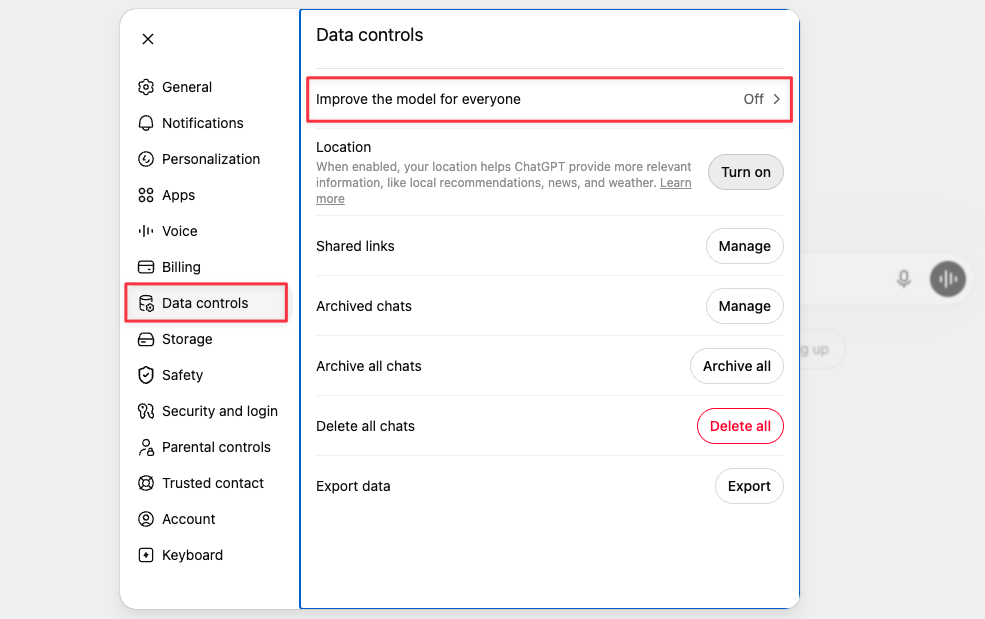
How to change the setting in ChatGPT: Go to Settings → Data Controls → «Improve the model for everyone».
Source: OpenAI Help Center – How your data is used to improve model performance
Personal users (Free, Pro, Max): When you create an account, you're asked whether Claude can use your chats to train the models. That setting is on by default, so if you don't actively turn it off, your conversations are used for training. This is fairly new. Anthropic used to leave training off unless you actively opted in. Now it's the other way around.
Business users (Claude for Work, Team, Enterprise and API): Your content is not used for training by default. Anthropic says so explicitly: «We will not use your chats or coding sessions to train our models, unless you choose to participate in our Development Partner Program.»
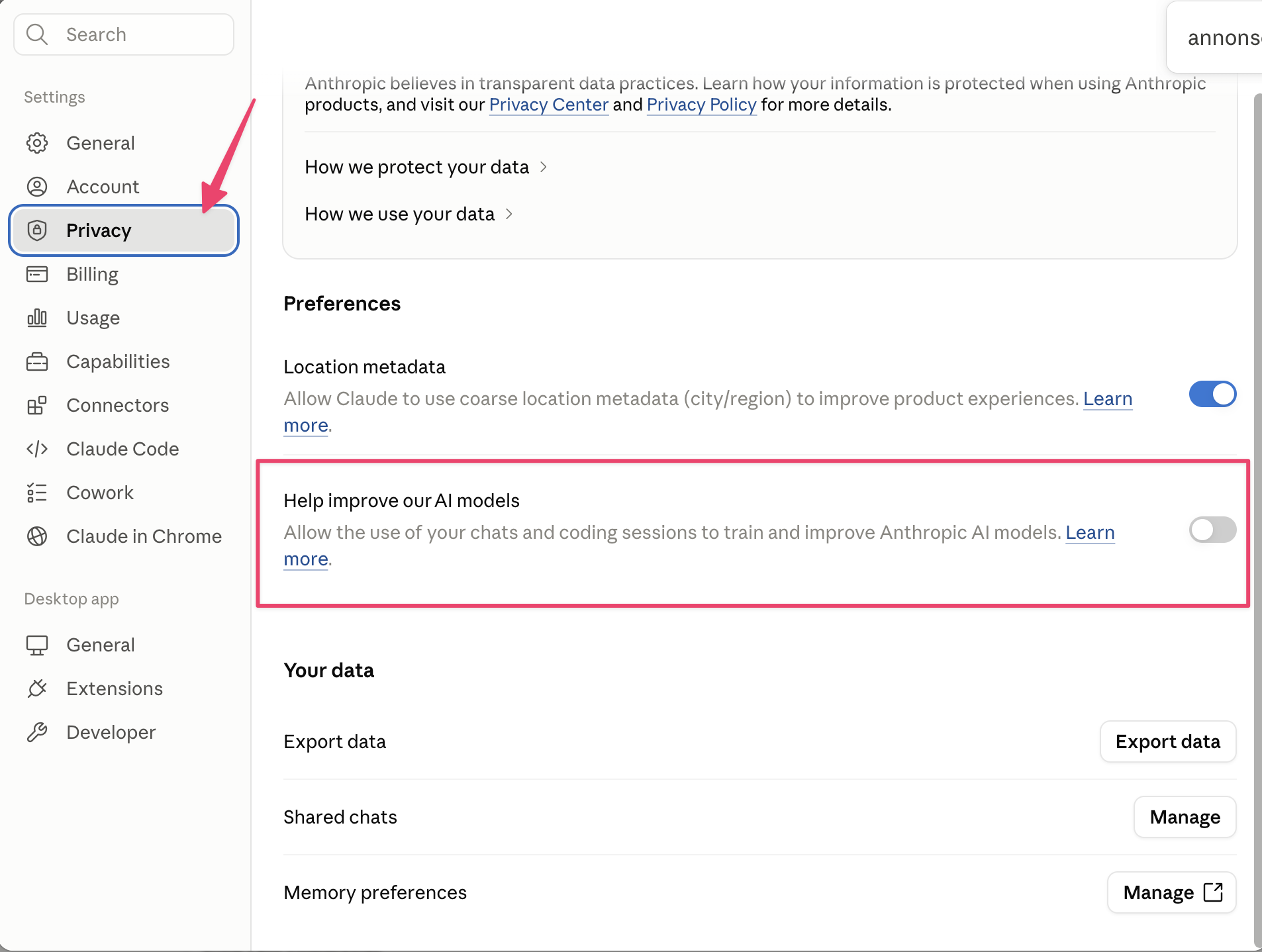
How to change the setting in Claude:
Click the profile icon at the bottom left of the screen. Then go to Settings → Privacy → «Help improve our AI models».
Sources:
Anthropic – Updates to Consumer Terms · Anthropic Privacy Center – Is my data used for model training? (personal) · Anthropic Privacy Center – How do you use personal data in model training? (business) · Anthropic Privacy Center – How do I change my model improvement privacy settings?
Personal users, with an important distinction:
Sign in or create a free account to continue.
No trial, no credit card, no mandatory newsletter.