
Loading...


There's one corner of Copilot worth visiting more often. It's called Create, and oddly enough, a lot of users have no idea it exists.
For the first two years, the marketing pitch for Copilot went something like this:
Copilot is an assistant that meets you in the apps you already use every day: Word, Outlook, Teams, PowerPoint. It helps you right where you're working. That was supposed to be the whole point of Copilot — that it was so well integrated into the M365 apps we use daily.
In May 2025, Microsoft quietly stepped away from that logic and launched Microsoft Create — a production area you can reach from the Copilot desktop app or in the browser.
The new message is: head to Create when you actually want to make something — a draft presentation, a document, an infographic.
In other words, Microsoft seems to have realised that Copilot inside the traditional Office apps wasn't great at producing things. It was fine for answering questions and summarising, but pretty underwhelming when you actually wanted to get something done.
Maybe that's why Create is a bit under-promoted? Admitting you need a different, separate interface to produce decent output goes against everything we were promised earlier — that you'd be able to do this directly inside the apps.
Microsoft pitches Create as the place to go when you want to make things: drafts of finished deliverables like presentations, documents, design (images, videos, infographics) and more.
You'll find Create in:
The Copilot desktop app (a separate app you can download)
Copilot in the browser: m365.cloud.microsoft/chat
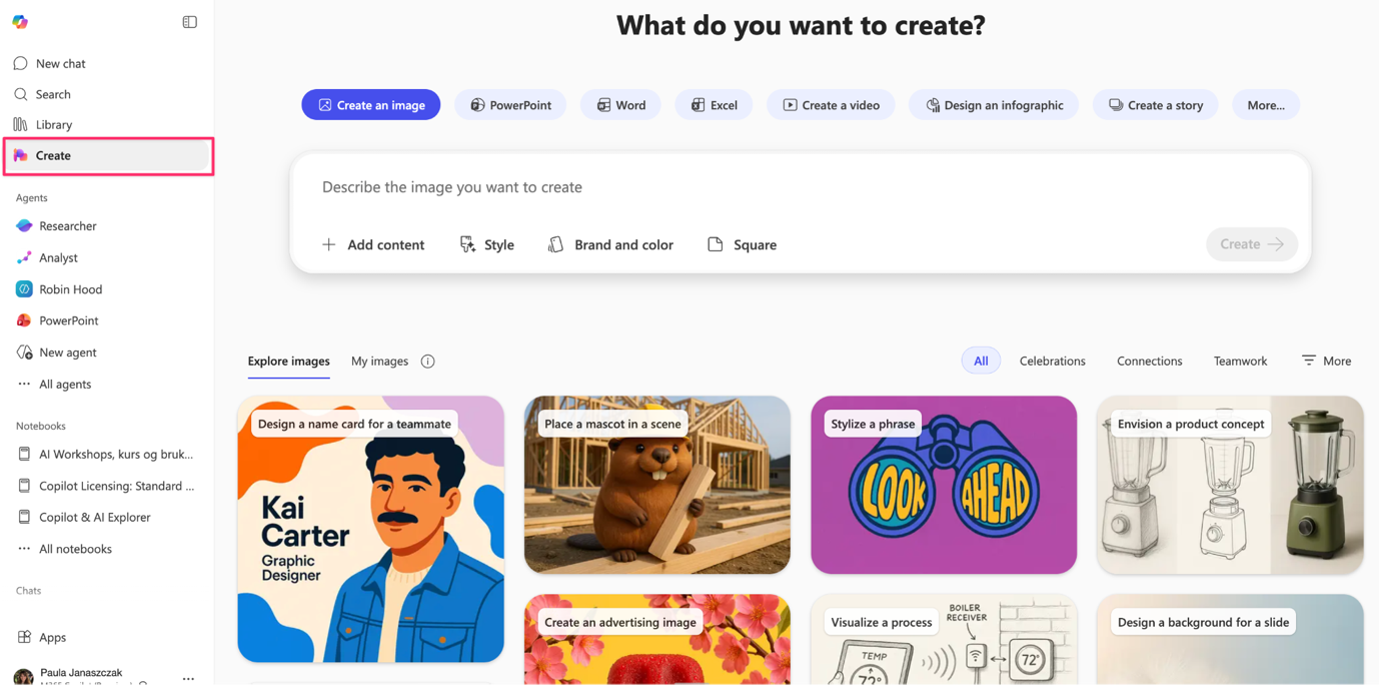
When you open Create, you're greeted with a set of options that show what Create can do. You can choose to make an image, a PowerPoint, a Word doc, an Excel file, a video, an infographic, a poster, a banner, and more.
Based on what you pick, you get a range of pre-built prompt templates you can use as a starting point.
Sign in or create a free account to continue.
No trial, no credit card, no mandatory newsletter.
